Est.2016
→
∞
Support Triage Automation: Auto-Tag, Prioritize, and Draft Replies
automation

As customer support volume grows, teams often struggle to keep up with incoming tickets. Messages arrive from multiple channels, issues vary in urgency, and without a clear system, it becomes difficult to respond quickly and accurately.
Manual triage slows everything down. Agents spend valuable time reading, categorizing, and routing tickets before they can even start solving problems. This leads to longer response times and inconsistent customer experiences.
This is where Support Triage Automation: Auto-Tag, Prioritize, and Draft Replies becomes essential. Automation helps teams organize incoming requests, highlight urgent issues, and even prepare reply drafts so agents can respond faster.
What is Support Triage Automation?
Support triage automation is the process of using automated systems to manage incoming support requests efficiently.
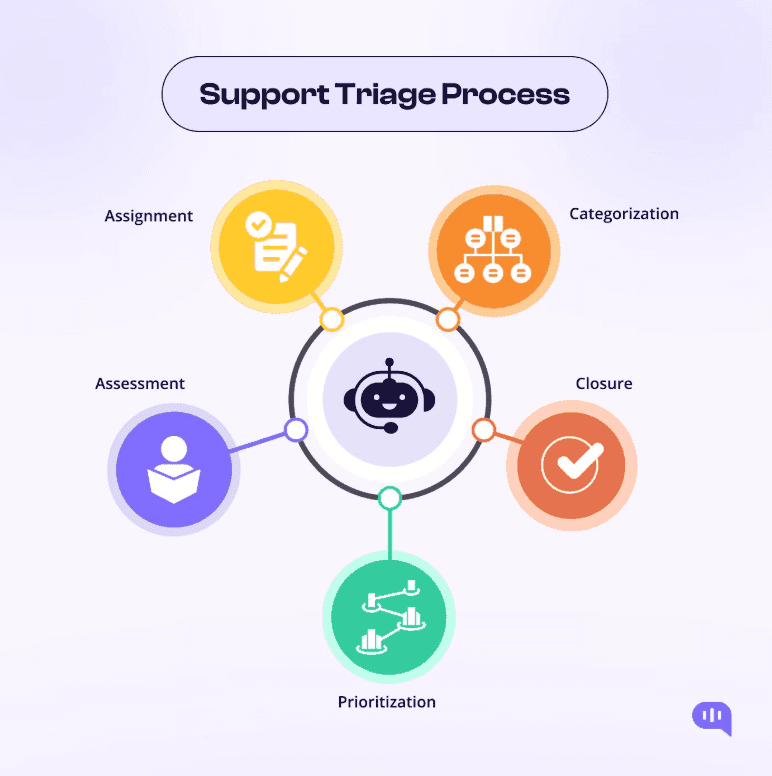
Instead of manually reviewing each ticket, the system analyzes message content, identifies intent, and assigns tags automatically. It can also prioritize tickets based on urgency and route them to the right team or agent.
In advanced setups, automation can even generate draft replies that agents can review and send with minimal edits.
This approach ensures faster handling and a more consistent support workflow.
Why Manual Triage Creates Delays
When support teams rely on manual triage, several challenges arise.
Agents need to read every message, decide its category, assign priority, and route it correctly. This takes time, especially when ticket volume is high.
Common issues include:
Delayed first response times
Misclassified tickets
Overloaded support agents
These inefficiencies can negatively impact customer satisfaction and overall service quality.
Auto-Tagging for Better Organization
Auto-tagging is one of the most important features of triage automation. It automatically categorizes incoming tickets based on their content.
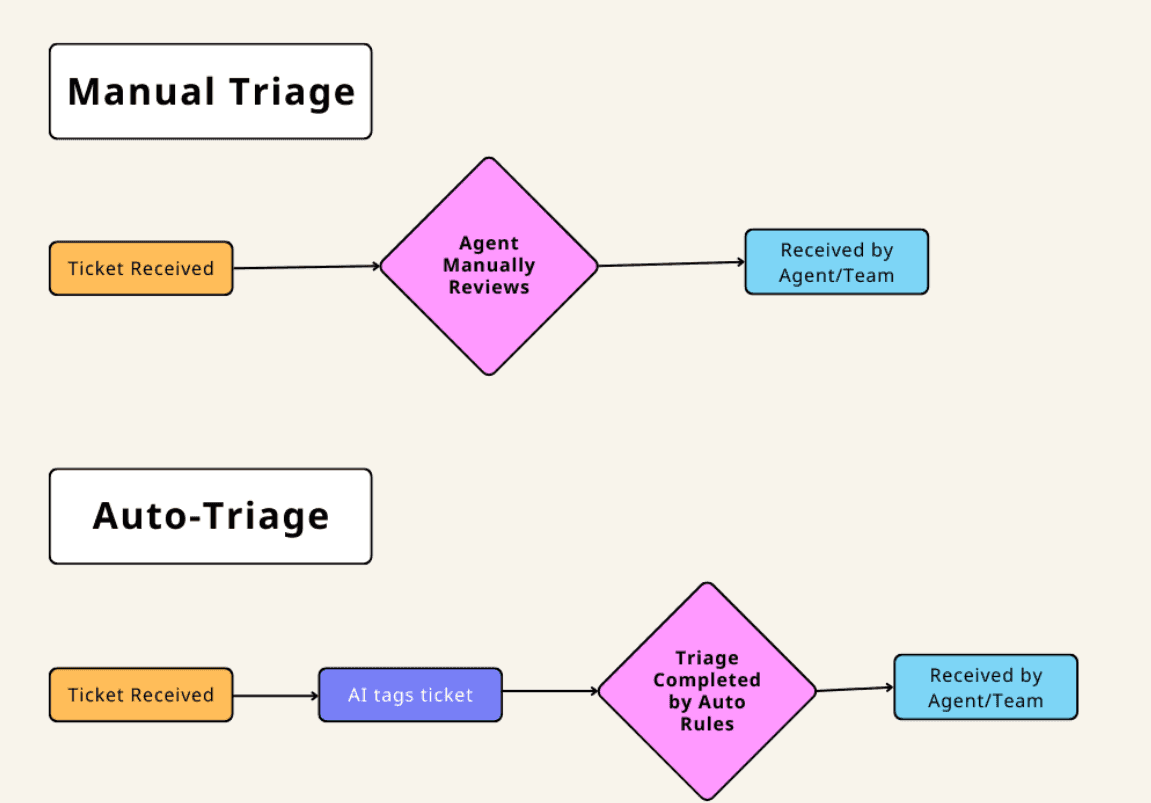
For example, a ticket related to billing can be tagged accordingly, while a technical issue can be assigned a different category.
This makes it easier to filter, search, and analyze support requests. It also ensures that tickets are routed to the right team without manual intervention.
Auto-tagging improves organization and reduces the chances of errors.
Smart Prioritization of Tickets
Not all support requests have the same level of urgency. Some issues require immediate attention, while others can wait.
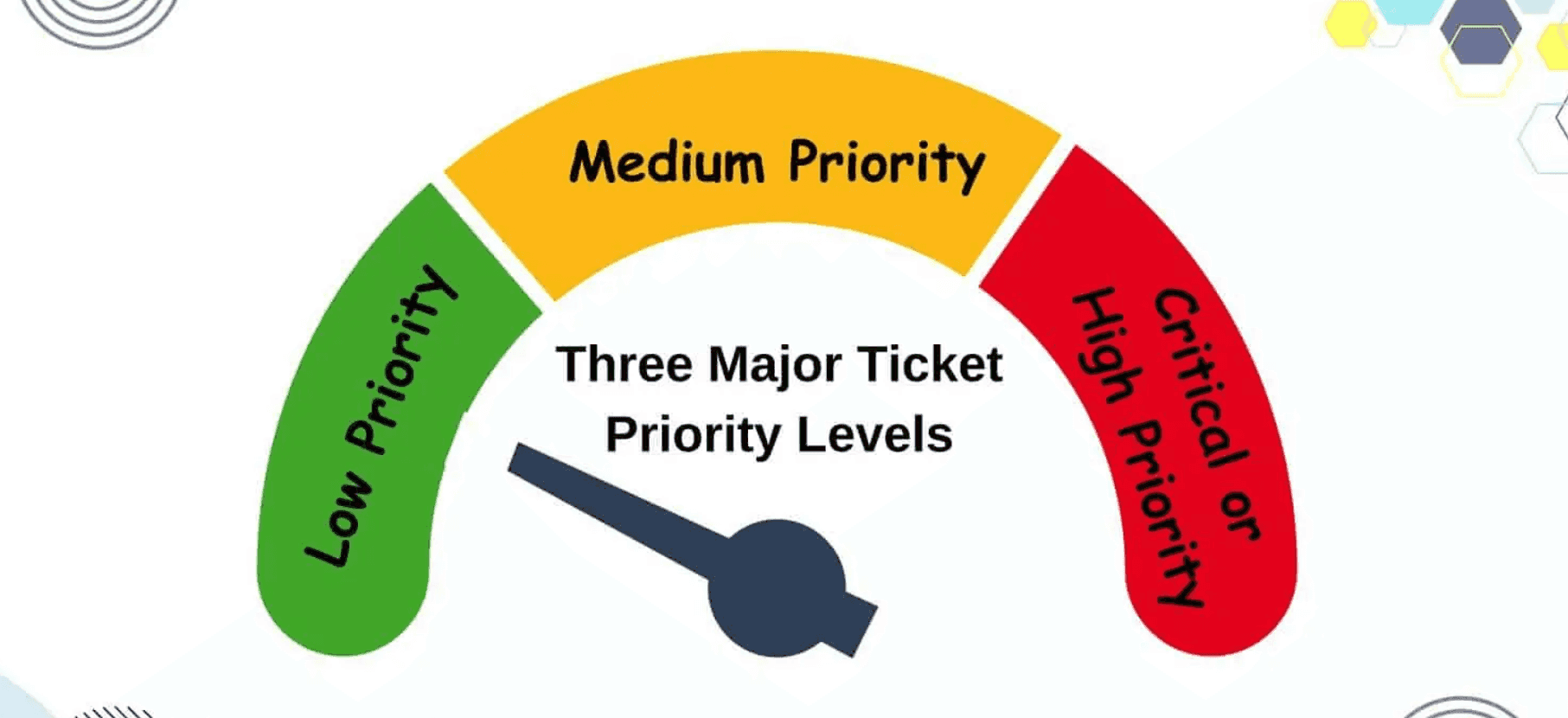
Automation helps prioritize tickets based on predefined rules such as keywords, customer type, or issue severity.
High-priority tickets can be flagged and moved to the top of the queue, ensuring that critical issues are addressed first.
This improves response times for urgent cases and helps teams manage workload more effectively.
Drafting Replies Automatically
One of the most powerful features of support automation is the ability to generate reply drafts.
Based on the content of the ticket, the system can suggest a response that addresses the customer’s issue.
Agents can review, edit, and send the response quickly, saving time and effort.
This is especially useful for common queries where similar responses are needed repeatedly.
Automated drafting improves consistency and helps maintain a professional tone across all responses.
Benefits of Support Triage Automation
Implementing triage automation provides several key benefits.
First, it reduces response time by eliminating manual categorization and routing.
Second, it improves accuracy by ensuring tickets are tagged and prioritized correctly.
Another important benefit is increased efficiency. Agents can focus on solving issues instead of managing tickets.
Finally, it enhances customer experience by providing faster and more consistent support.
Steps to Implement Support Triage Automation
To set up an effective triage system, businesses should follow a structured approach.
Start by identifying common ticket categories and defining tagging rules.
Next, set up prioritization criteria based on urgency and business impact.
Then, create templates or systems for generating reply drafts.
Finally, monitor performance metrics such as response time and resolution rate to improve the system over time.
The Future of Support Automation
Support automation is evolving rapidly with advancements in intelligent systems and data analysis.
Future tools may understand customer intent more accurately and provide highly personalized responses.
Automation will continue to help teams scale support operations while maintaining high service quality.
Conclusion
Managing support requests efficiently is essential for delivering a great customer experience. Manual triage processes often lead to delays and inconsistencies.
By implementing Support Triage Automation: Auto-Tag, Prioritize, and Draft Replies, businesses can streamline their support workflow, improve response times, and enhance service quality.
Automation ensures that every ticket is handled quickly and accurately, leading to better customer satisfaction.